
Image Alt Text Workflow: From Figma Layer Names to WordPress SEO
Run an accessibility audit on almost any WordPress site and the top finding is the same: missing alt text. Not because anyone disputes that it matters. Because of when it gets written — three weeks after the design, by whoever is uploading files, staring at a thumbnail with zero context.
That's a workflow bug, not a diligence bug. And workflow bugs get fixed by moving the work, not by trying harder.
What alt text is actually for
Two audiences read it. Screen reader users hear it in place of the image — for them it's the image. And search engines index it: alt text is a direct input to Google Images ranking and helps Google understand the surrounding page.
Google Images is not a niche. For products, recipes, interiors, fashion — anything people search visually — image results drive real clicks. An image named DSC_4471.jpg with no alt text is invisible to all of it.
What good alt text looks like
One sentence, describing what the image shows and why it's there. The test: if you read the page aloud to someone on the phone, what would you say when you hit the image?
| Image | Bad alt | Good alt |
|---|---|---|
| Product photo | image1, photo of mug | Blue ceramic mug with cork lid on a white desk |
| Dashboard screenshot | screenshot | Analytics dashboard showing a 40% traffic increase in March |
| Team photo | team | Five members of the design team at the 2026 offsite in Lisbon |
| Decorative divider | decorative swirl graphic element | alt="" (empty, on purpose) |
Three rules cover most cases. Don't start with "image of" — it's announced as an image already. Use a keyword only when it honestly describes the picture; stuffing reads as spam to Google and as noise to a screen reader user. And give decorative images an empty alt="" so assistive tech skips them cleanly.
The workflow fix: write it where the context is
The person with the most context about an image is the designer, at the moment the image is placed. They know it's "the founder speaking at the 2025 launch event" and not "man on stage". Every step downstream loses information.
So move the writing upstream. Concretely:
1. Name layers like they'll become file names — because they will
A Figma layer named hero-woman-potting-monstera is thirty seconds of effort. That name travels: it becomes the exported file name, which becomes the Media Library title, which is what Google sees in the URL. Frame 482 travels too — that's the problem.
2. Write alt text at export time, not upload time
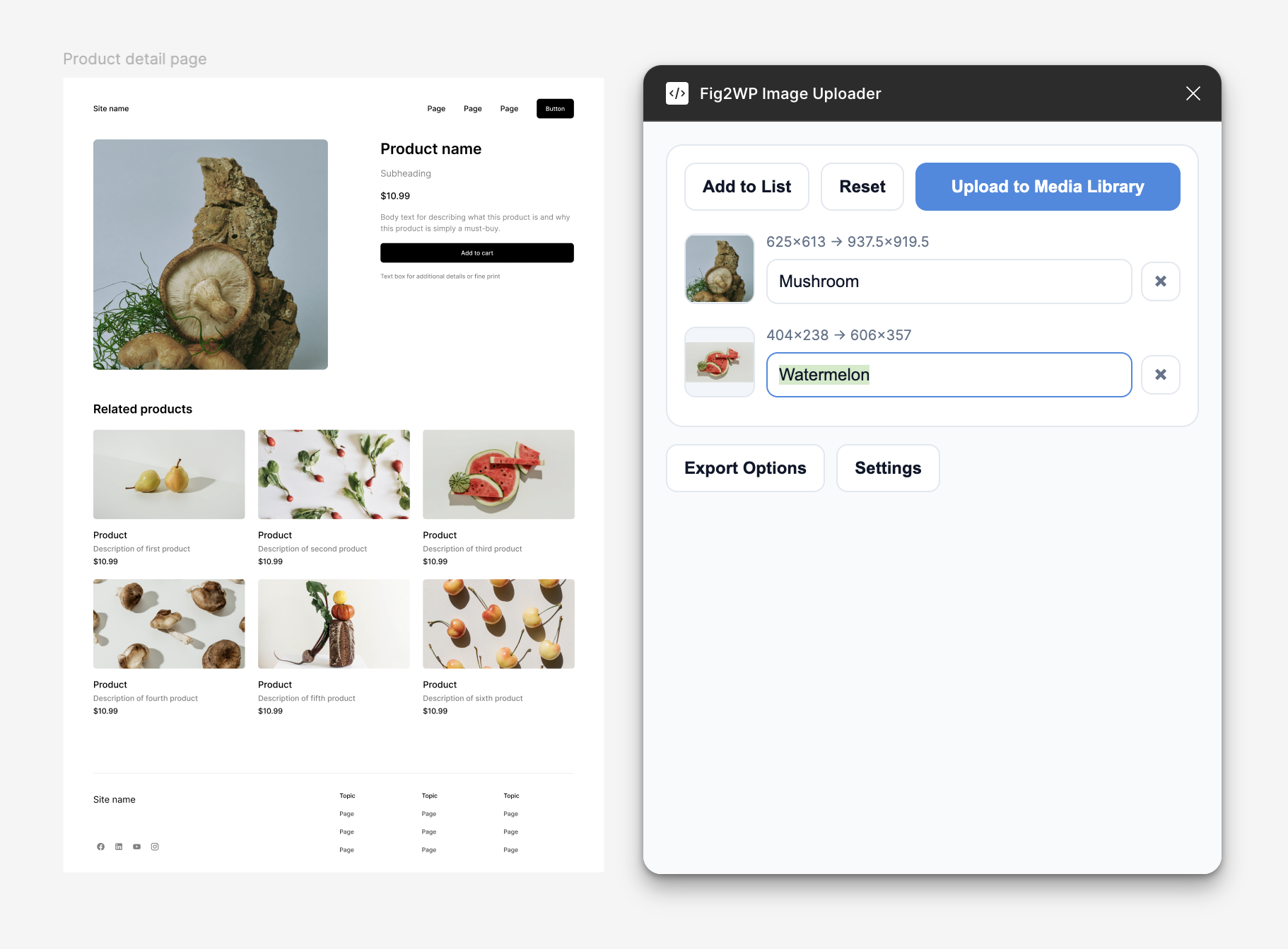
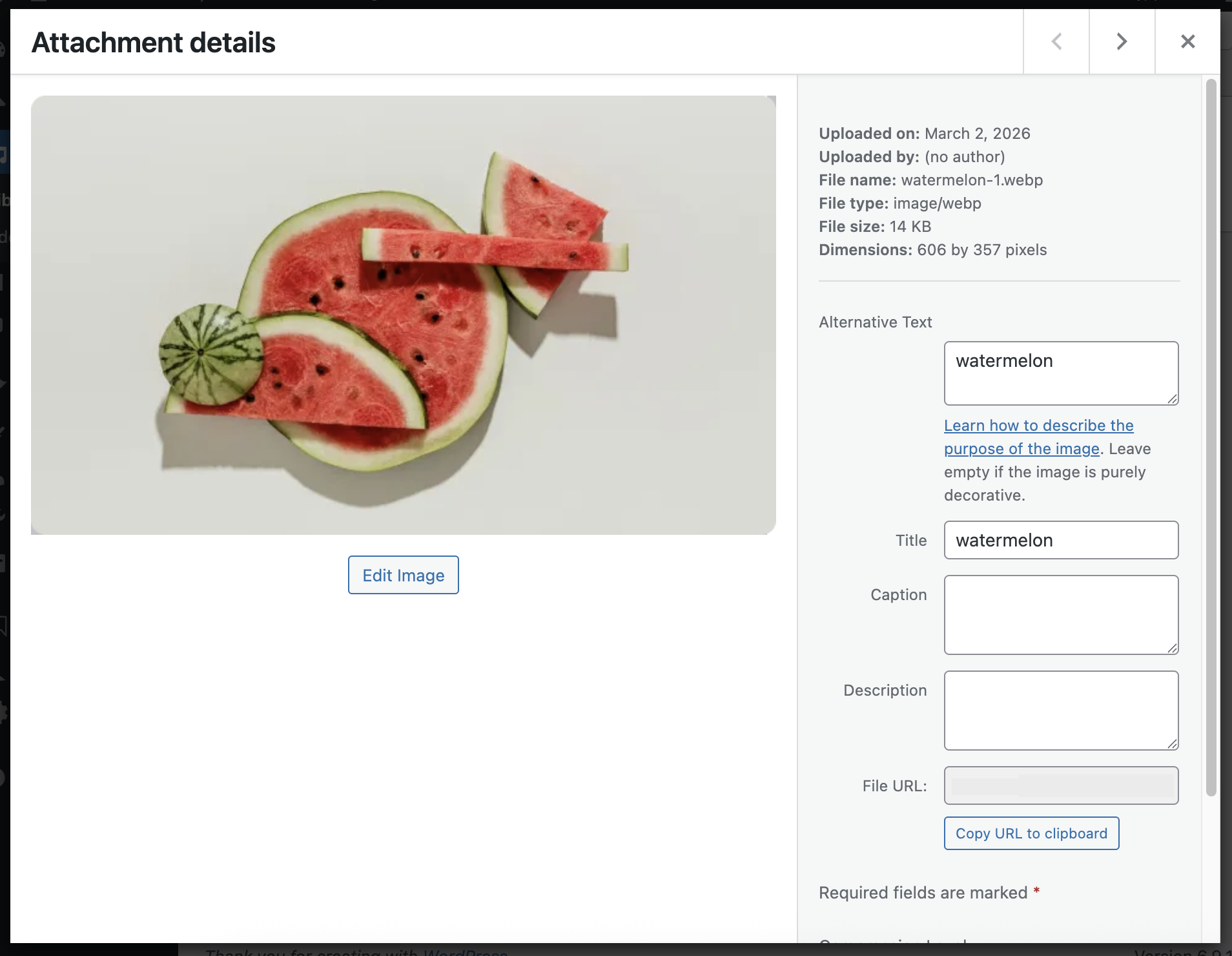
This is the step that makes the audit finding disappear. In Fig2WP Image Uploader, the selected-layers list has a title and alt text field per image, editable right in Figma with the design on screen. What you type there arrives in WordPress as the attachment's title and alt text — no second pass in wp-admin, nothing to remember later.
3. Audit what's already live, once
For the backlog: Screaming Frog's free tier or an accessibility checker like WAVE will list every image missing alt on the site. Fix the pages that get traffic first — your top ten pages probably hold half your image impressions — and let the long tail wait.
What this is worth
Sites that fix image metadata typically see it in Search Console within a couple of months: image impressions climb, and image clicks follow for visual-intent queries. The accessibility win doesn't show up in a dashboard, but it's the difference between your content existing or not for screen reader users. Both outcomes from the same thirty seconds per image — spent at the one moment it's easy.
FAQ
Does alt text help SEO?
Yes — it's an input to Google Images ranking and to Google's understanding of the page. It's also an accessibility requirement independent of any ranking effect.
How long should alt text be?
One sentence, up to roughly 125 characters as a soft guide. Long enough to describe, short enough to listen to.
Do decorative images need alt text?
They need an empty alt="", which tells screen readers to skip them. Omitting the attribute entirely can cause the file name to be read aloud instead.
Alt text that writes itself into WordPress
Fig2WP carries your titles and alt text from Figma straight onto the Media Library attachments — written once, where the context is, never retyped.